
Redeem Your Promo Code
Thank you for being a supporter of SMTD and our ticketed performances! You have received a promo code, redeemable for discounted tickets to an upcoming SMTD show. Here’s how to use it.
Step 1. Visit tickets.smtd.umich.edu
Follow the provided QR code or link for your performance if applicable–or, visit tickets.smtd.umich.edu directly.
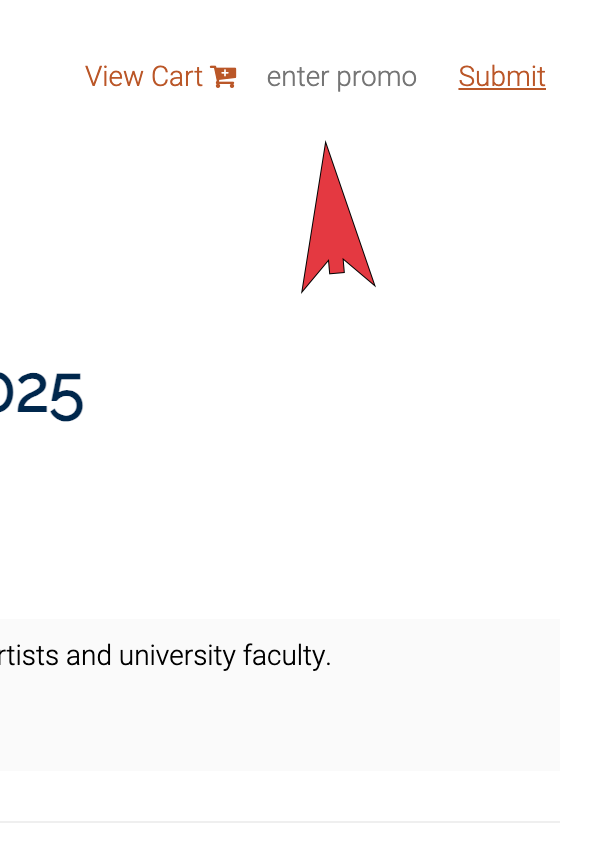
Step 2. Enter your promo code
There is a small space to enter your promo code near the top of the active white window. Look for the words “enter promo.” It doesn’t look like a box at first, but it is!
Enter your code here, and press enter. You will receive confirmation when your code is entered correctly. It will look like this:
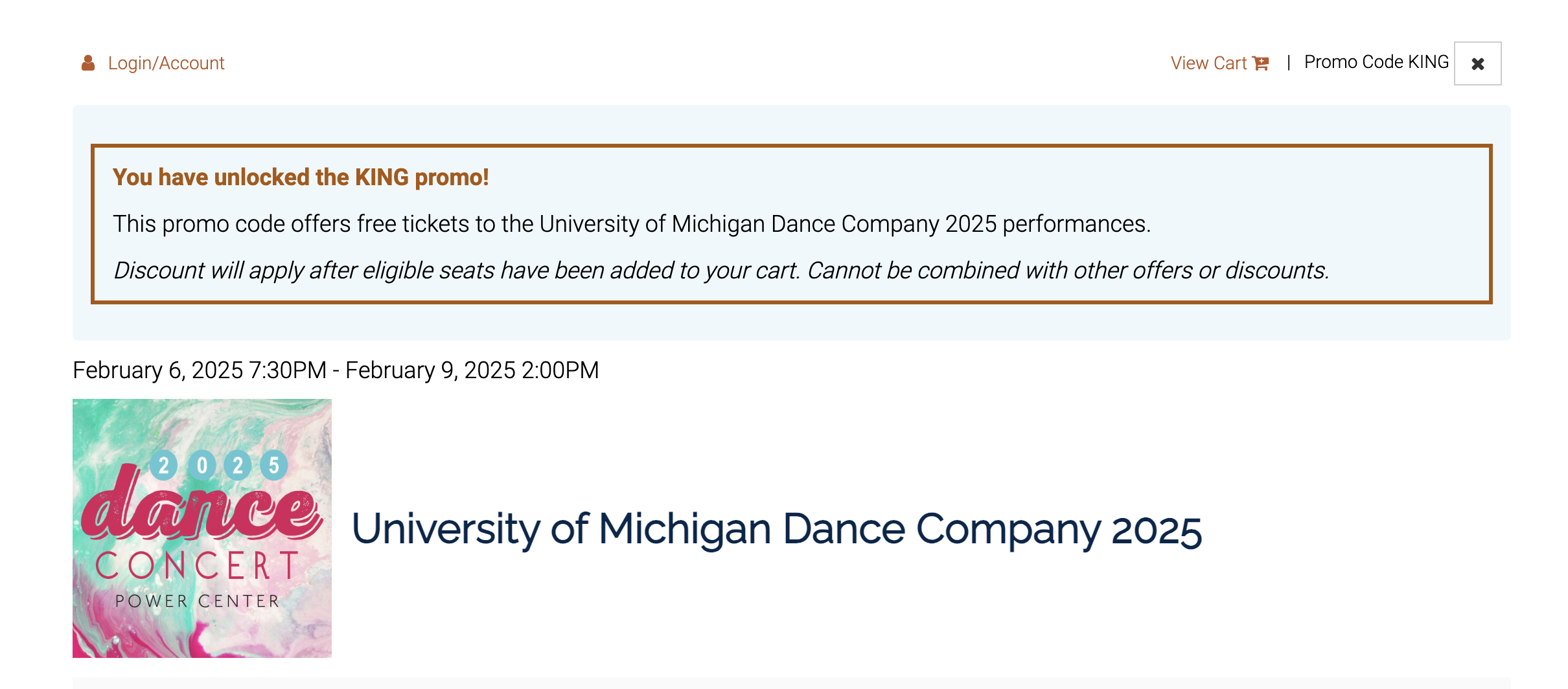
Step 3. Select the performance you want to attend
If available, you can select from different performance dates & times.
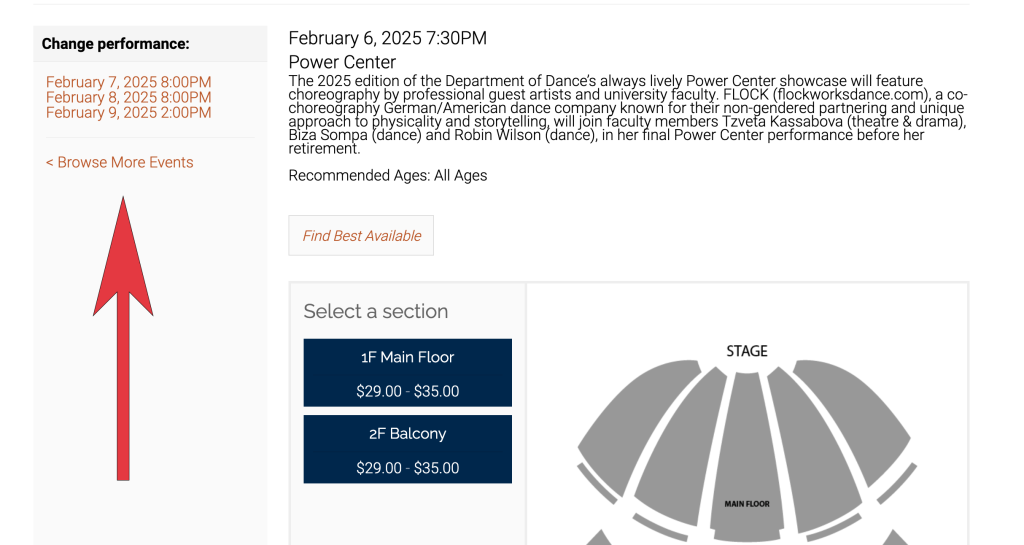
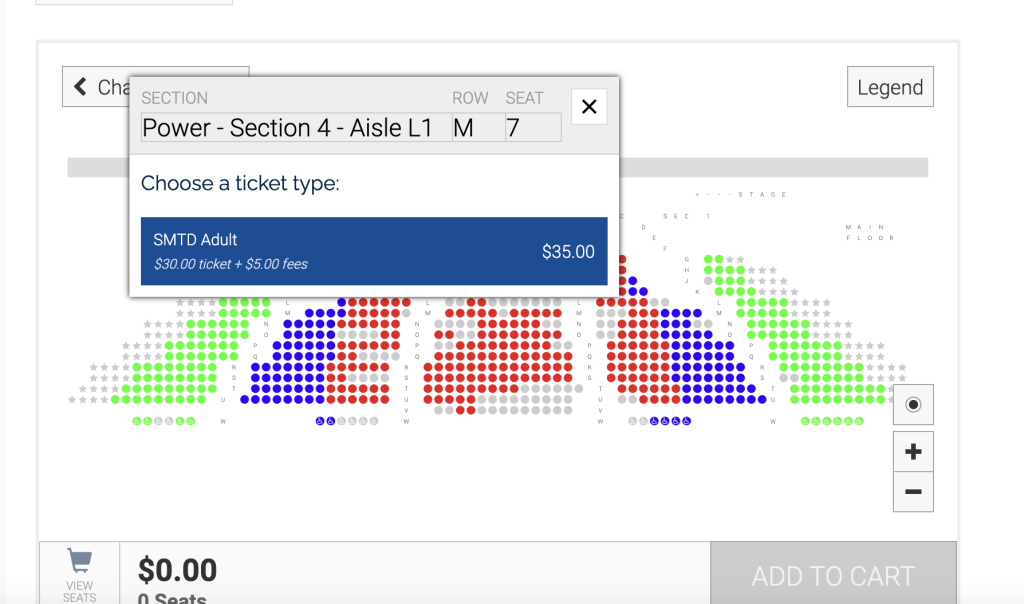
Step 4. Select your seats, and add your seats to your cart.
Make sure your tickets meet outlined guidelines*, if provided. At this point, tickets will show a cost. They will continue to show a cost until you visit your cart.
*Guidelines can include specific seating locations or seat types. If your seats are restricted, your code information will specify this.
Step 5. Continue to cart
Your tickets will now show $0 for cost.
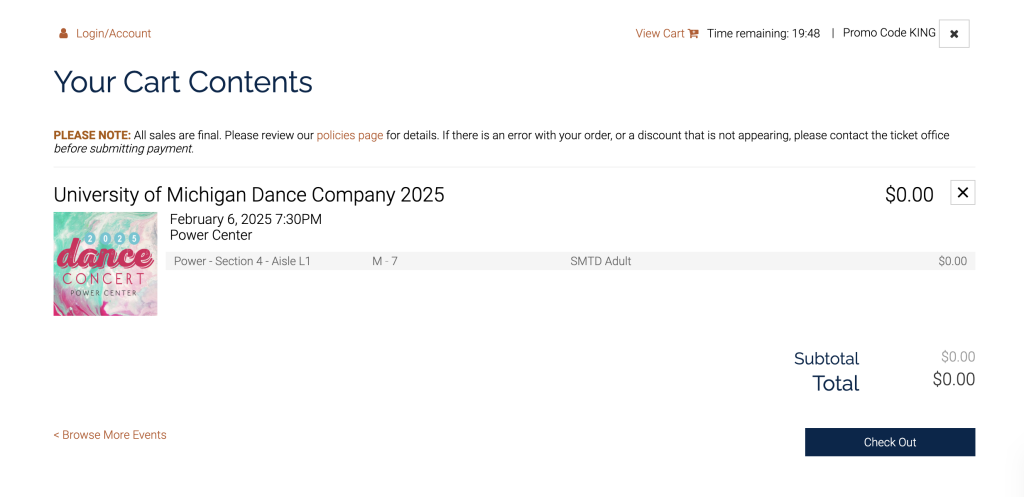
Step 6. Checkout
Click “checkout” to begin the checkout process. You will need to set up an account if you do not have one, or login to an existing account.
Step 7. Set up an account
An account is required so we can locate your order in the future if you lose or forget your tickets. You do not need to provide a credit card or any payment information.
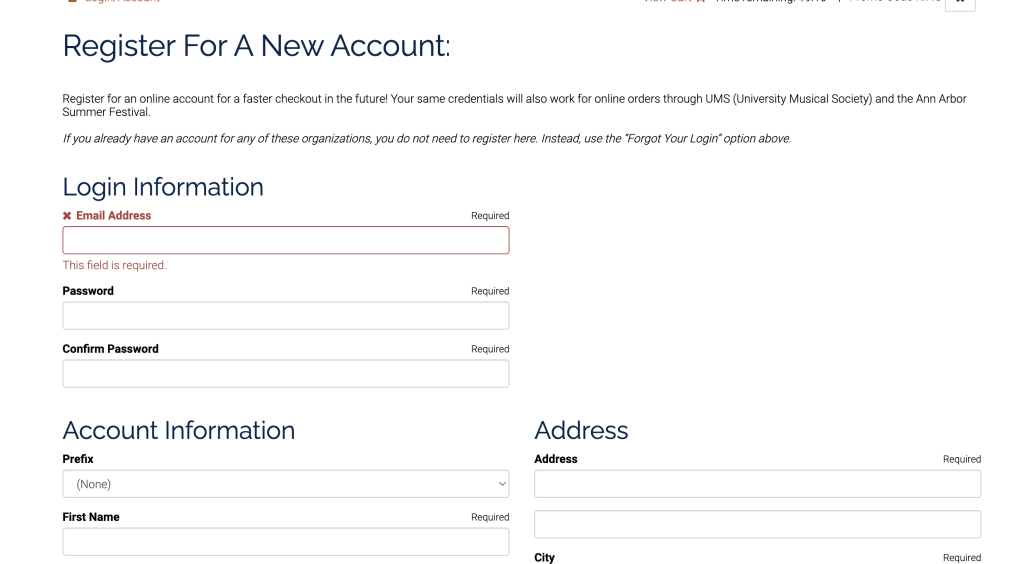
Step 8. Log in to your account
Use the login information you have just set up.
Step 9. Select Delivery Method
We recommend “Hold at Box Office,” which will allow you to pick up your tickets the day of the performance at the ticket window, or “Digital Tickets,” which will allow you to access your tickets via a digital wallet at wallet.smtd.umich.edu.
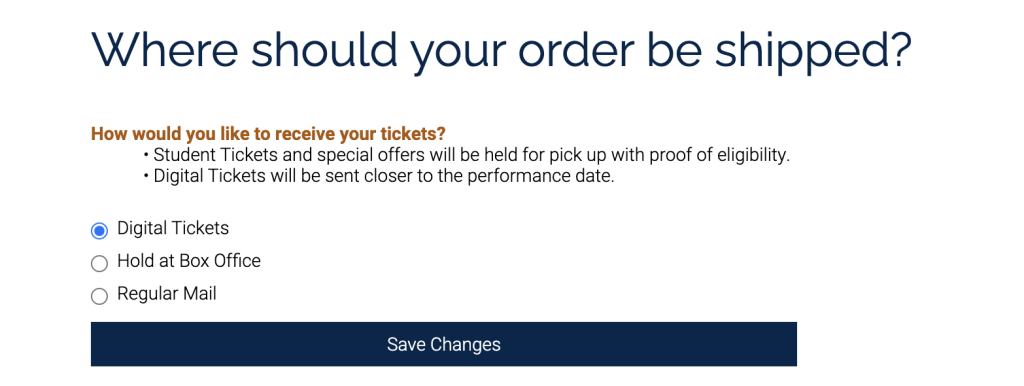
Step 10. Complete Order
Complete your order. You will receive an order confirmation.
Step 11. Attend the show!
We can’t wait to see you!
Contact Us!
If you have questions about your comps, or about the process, please email [email protected].